Table of Contents
The AI-Framework in a nutshell
This article is mainly intended for managers. It gives a birds-eye overview of the AI-Framework, what it is and what it isn’t, its features and its strength.
Information for developers can be found in the Chapter for Developers
What is the AI-Framework?
The AI-Framework is a collection of software components. This collection is dedicated to and specialised in the development of ERP applications. It is also a strong tool for the development of other administrative software. By using the AI-Framework, development of software takes on a new meaning.
Ways of programming
There are many ways of developing software. Most often, a functional design is drafted – which describes the details of the functions of the new software – and with that the programmer starts developing the actual application. These programmers write computer code. They will have to do a lot of routine work.
The AI-Framework will do most of this routine work automatically, which saves a lot of time and helps prevent mistakes.
Imperative versus functional programming
In traditional software development, the programming style is imperative, which means the computer is told what to do using a programming language. When using the AI-Framework, developing your software is functional and more abstract. In short this means that the functional developer does not build the actual application; the AI-Framework does that for him! The programmer only tells the AI-Framework about the functions that are needed. This way a model is created.
- More technical details about functional programming can be found in Getting started .
- See also LINQ in this context: LINQ .
The model
Before a programmer starts instructing a computer, the functions or tasks that need to be performed will be described in a functional design. The functional design aims to describe the tasks in terms of modules that have one responsibility and do not influence other modules. Once the functional design has been written and approved, the computer programmer starts his work.
Traditionally, the functional design will be translated to computer code (imperative programming) by programmers. With the AI-Framework, the functional design will be described to the AI-Framework in a very structured way (functional programming). This way a model is created . Based on this model, the AI-Framework will automatically generate all the computer code.
Summary:
- Write a functional design (human language, details about how the software should function)
- Tell the AI-Framework about this functional design (create the model by describing the functions)
- Let AI-Framework do the coding (translate into computer code)

Traditionally programmers receive the functional design (step 1) and start coding (step 3).
With the AI-Framework, the functional design is described as a model (step 2). The painstaking coding is done by the AI-Framework (step 3).
More about the model
The AI-Framework is based on a powerful programming language, named C# (say: C sharp). C# is in itself already very structured. It also facilitates auto code suggestions and syntax checks for the programmer.
The AI-Framework is therefore a very structured and complete functional design. Referring to the image above: The model in step 2 should perfectly represent the design in step 1. So the AI-Framework does not do anything. It is not an application. It is designed to describe business logic.
Choice of used technology
The AI-Framework does not dictate used technology in order to generate the actual application. It is not relevant which database is being used, nor whether the application should be running on a Windows computer, in a webbrowser or as a mobile app. This makes the model completely abstract. That explains our name: "Abstract IT".
Code generation
When (part of) the model is complete – the AI-Framework has been told all the details – the final application can be automatically generated by one of the code generators of the AI-Framework.
Note: After modelling the business logic in the AI-Framework, there is nothing else left to do for the software developer.
The AI-Framework has several code generators.
- For Windows Desktop
- For Windows Services
- For ASP.NET websites
- For WCF Services
Note: The software developer can add his/her own piece of model. This is a bit of C# code. It is also possible to extend the code generation for their own pieces of model. This too is just a bit of C# code.
Generated application
The application, which is the product of the code generation, exists of three main components.
- The AI-Framework Runtime
- The generated code with in it all specific code
- All kinds of industry standards, like DevExpress for User Interface components, and Stimulsoft for the reports.
See also Software requirements .
Example: maintenance screen for customer
Again: The only task of the functional developer is to model the functional design . How does he do that? This example shows how to model the process: Build a screen for adding a customer.
- A functional design describes what the business needs, like which details about the customer need to be stored, what needs to be automated (for example list of countries with default the country where the application is being used), and possibly designs of the screens.
- The software developer will convert this functional design into the model . In other words: he structurally and functionally tells the AI-Framework what is needed and so creates the model.
- The model is told that we need a screen, with the Title "Customer", with a label "Name" and a field "Name", and more labels and fields.
- The model is told that we need buttons with actions (read: functionality), for example Cancel this or Save the data.
- The customers can be found in the customer table of the database. Chosing "edit" in a customer overview screen will open our screen.
- Now the model has been created and represents what is expected functionally. The model is ready and the application can be generated and is fully functional.
How does it work?
Below is described how all this works, without mentioning too many meticulous details.
Designed to develop large and complex ERP systems
The AI-Framework has been designed to develop large and complex ERP systems. That is why we have chosen for a powerful and stable programming language (C#) in combination with a number of powerful components.
See also Software requirements .
The AI-Framework can automate and optimise many parts. Which parts it automates and which not is the choice of the developer.
Automated parts
The power of the AI-Framework lies in everything that doesn't need to be coded by the developer!
- Database functions, like insert, update, delete, will be executed fully automatically. Making a Save button in the model does the job.
- Generating SQL-queries is mostly automated. The queries are always optimised.
- The AI-Framework is database independent.
- The table customers exists and the data – customer entity – is already automatically loaded in memory, because the AI-Framework generates a database query that loads the fields that need to be displayed on the screen.
- The validation rules for the customer – for example that the last name should be at least three characters – has already been defined in the model of the customer table. The field on the screen validates automatically – for example it turns red when the name is only two characters long – and the Save button will be disabled by the AI-Framework when the data does not validate.
- In the final product – the application that is generated by the AI-Framework – all data is always up to date and optimised. The software developer does not need to calculate when a refresh is needed, because the model is declarative. The programmer describes (declares) what the state of the moment is, in stead of what needs to be done (imperative).
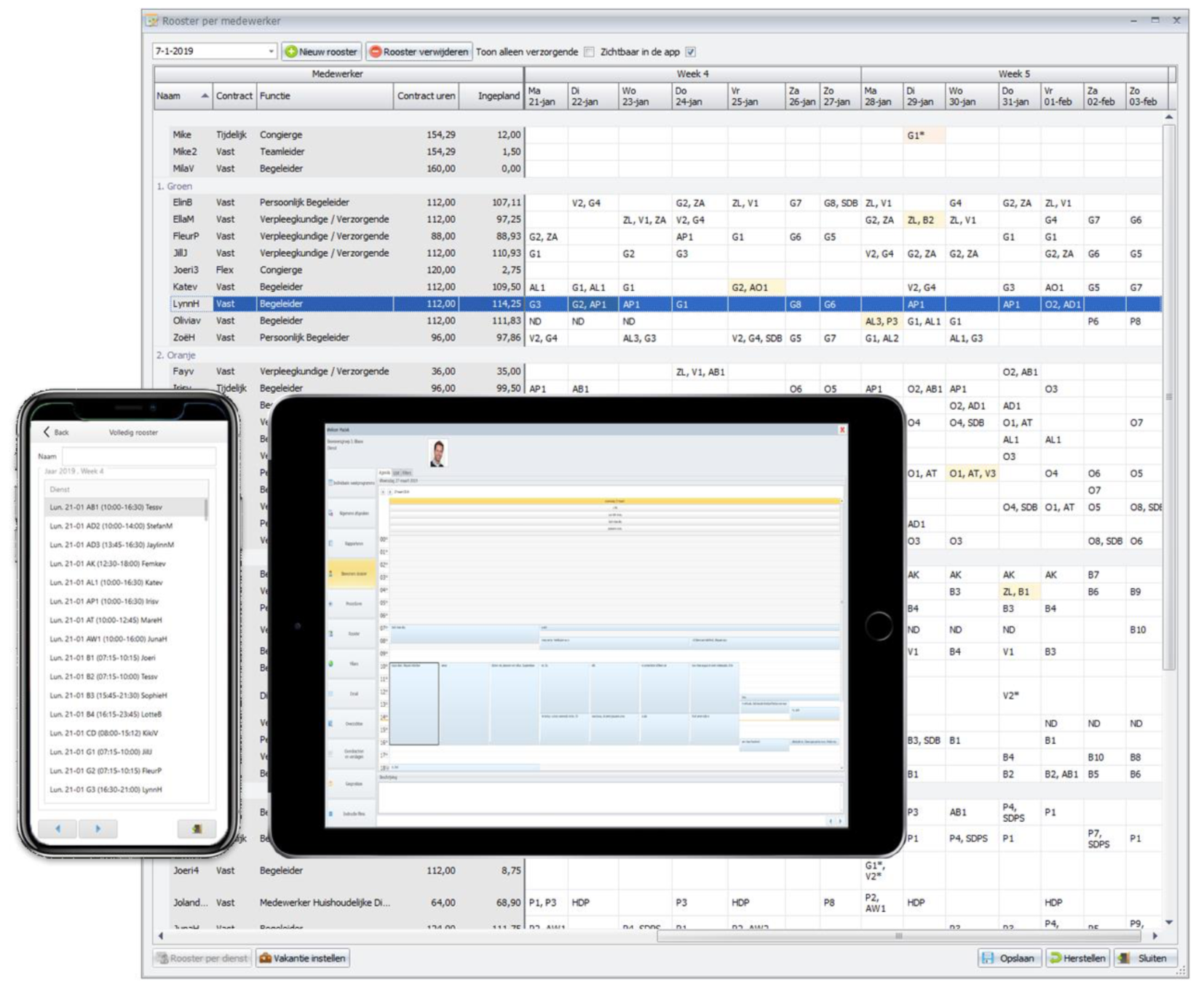
- The final product does not depend on a certain technology. It can be either a stand-alone windows application or a web application or a mobile app.
Extendibility
The AI-Framework is a comprehensive tool that can support large and complex business processes. If for some reason it should be necessary to depart from the standard options and possibilities, that is possible. The AI-Framework is very flexible and extendible.
- For developers: Read more about how to build extra functionality into the AI-Framework .
Future proof
fWe have separated functionality and implementation completely. Therefore it is theoretically possible to replace any component with another component that uses a different technology. When trying to do that, it needs a lot of time, but it is possible.
An example is the replacement of Silverlight. We used to generate websites for Silverlight (a browser-plugin of Microsoft). Since Silverlight is no longer much in use, we have rewritten the AI-Framework to generate the websites in ASP.Net, JavaScript, HTML5 and CSS3. The model has not changed.
Code Generation changed | Model unchanged
This example shows that the AI-Framework can be changed in the core of code generation, while remaining unchanged in the model. Software already developed in the model doesn't need to be changed. The AI-Framework will generate all the new code.
What are the advantages of the AI-Framework?
There is a number of advantages of developing software with the AI-Framework.
- Less work to develop software – about 50% less compared to traditional development.
- Much of the coding and cross-checking is automated. This means less human errors by a developer. The result is highly reliable and stable software.
- AI-Framework has been optimised in many areas. This results in good performance.
- AI-Framework offers a flexible and powerful development tool for professional developers.
- The AI-Framework is extremely consistent in behaviour throughout the application. All that is generated automatically works identically. A few examples:
- All screens are scalable.
- Validating data works identical everywhere.
- All buttons give feedback about what they do, or why they are disabled, everywhere in the same way.
- The functional developers do not need to have knowledge of the technology that is used in the actual final result. After all, this code is generated automatically, like JavaScript, ASP.Net, CSS, Asynchrone code, Winforms components and more.
- The database can be chosen freely. At the moment the AI-Framework works with Firebird (free open source database), MS SQL (Microsoft), Informix (IBM), and SQL Anywhere (SAP). When changing to one of these databases or yet another, no changes are needed in the model itself.
What is needed to get it working?
The AI-Framework works together with internationally standardised software and is based on C#. Changes in the model can be made with powerful industry standards.
For more details, consult the page Software used with the AI-Framework .
If you need to know about the hardware requirements, read the page Hardware recommendations